Protecting Your Facebook Password: Essential Tips to Keep Your Account Secure
With over 2.7 billion monthly active users, Facebook is a treasure trove of personal information, making it a prime target for hackers and scammers. Protecting your Facebook password is crucial to maintaining the security and integrity of your online presence. In this article, we will delve into the importance of protecting your Facebook password and provide you with practical tips to strengthen your account's defenses.
The Importance of a Strong Password
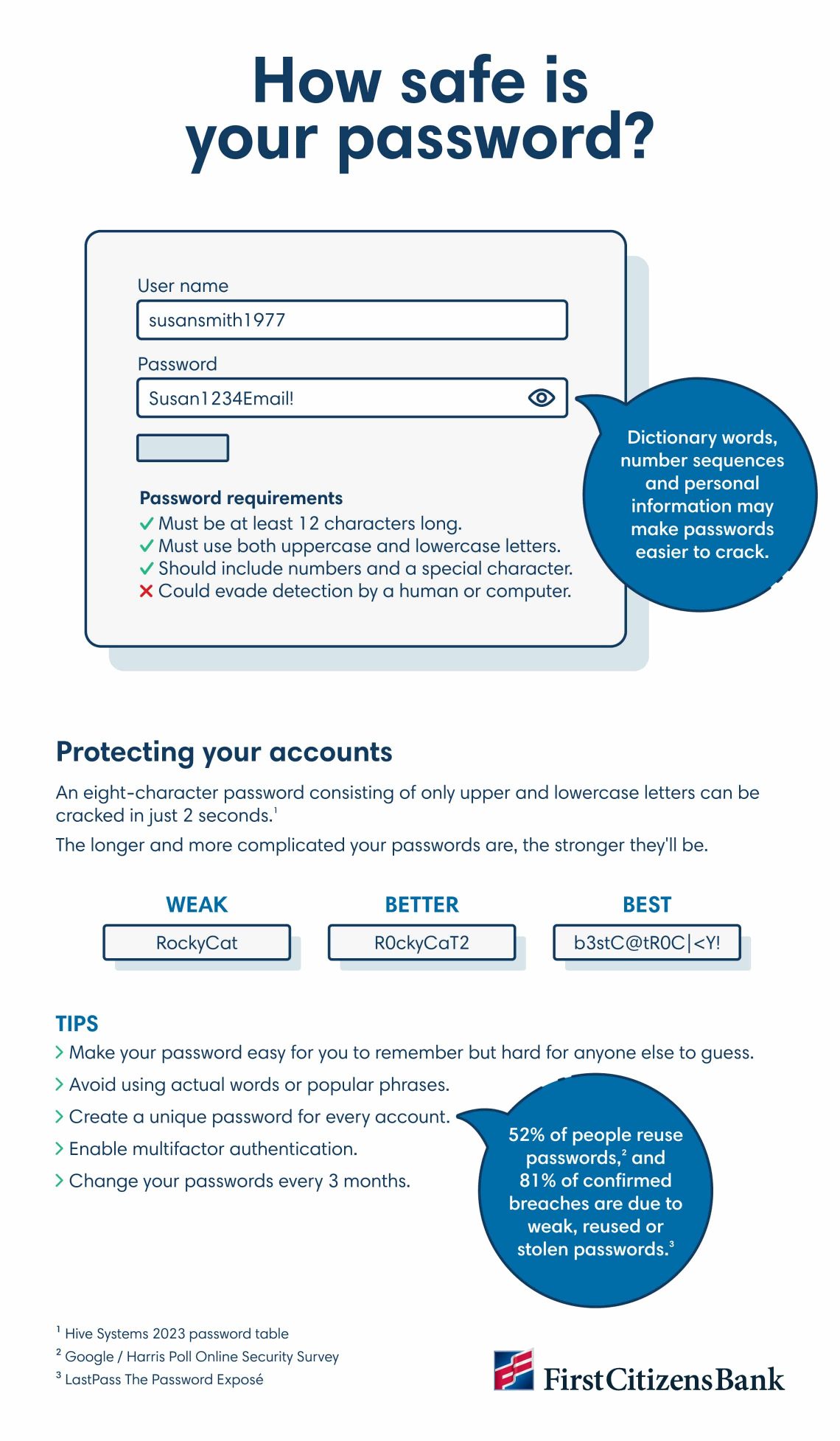
Using a strong password is the first line of defense against unauthorized access to your Facebook account. A strong password should be at least 8 characters long and include a combination of uppercase and lowercase letters, numbers, and special characters. Avoid using easily guessable information such as your name, birthdate, or common words. Instead, use a password manager tool to generate a unique and complex password.
Two-Factor Authentication: An Additional Layer of Protection
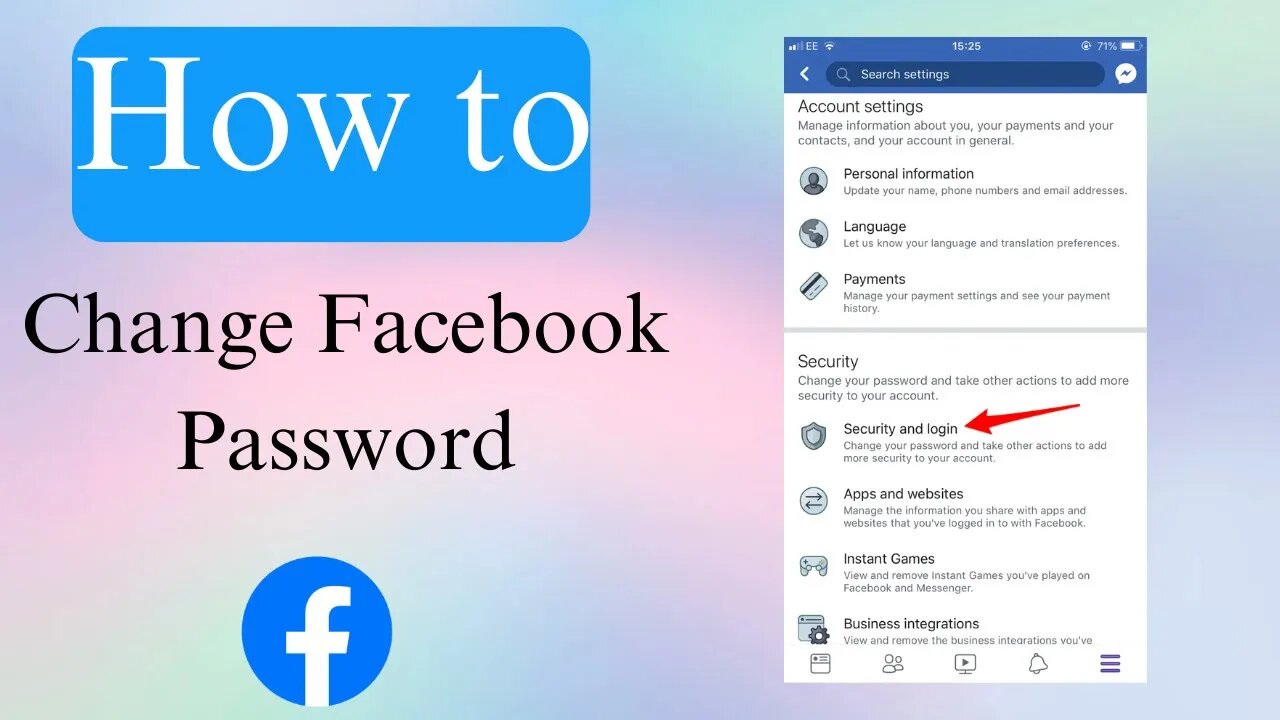
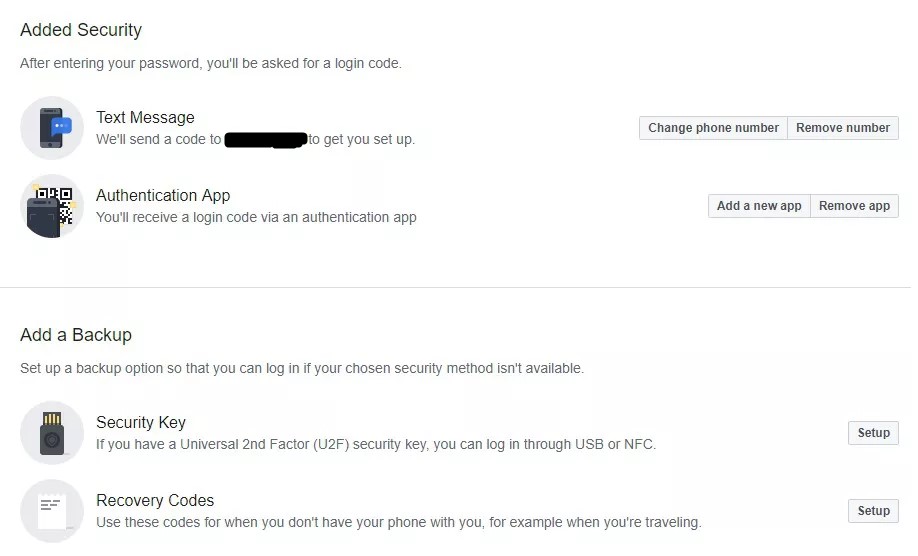
Two-factor authentication (2FA) adds an extra layer of security to your Facebook account. When 2FA is enabled, you will be required to enter a special login code or confirm your login attempt each time someone tries to access your Facebook account from a browser or mobile device we don't recognize. This feature helps to prevent unauthorized access even if your password is compromised. To enable 2FA on your Facebook account, go to the "Security and Login" settings and follow the prompts.
Other Ways to Secure Your Facebook Account

- Be cautious with extensions and apps: Only install extensions and apps that you trust, and be wary of any suspicious activity. Regularly review the apps and services connected to your Facebook account and remove any that you no longer use.
- Monitor your account activity: Keep an eye on your account's activity log to detect any suspicious activity. If you notice any unusual activity, report it to Facebook immediately.
- Use a secure browser and device: Ensure that you are using a secure browser and device to access your Facebook account. Avoid using public computers or unsecured networks to log in to your account.
- Keep your device software up to date: Regularly update your device's operating system and browser to ensure that you have the latest security patches and features.
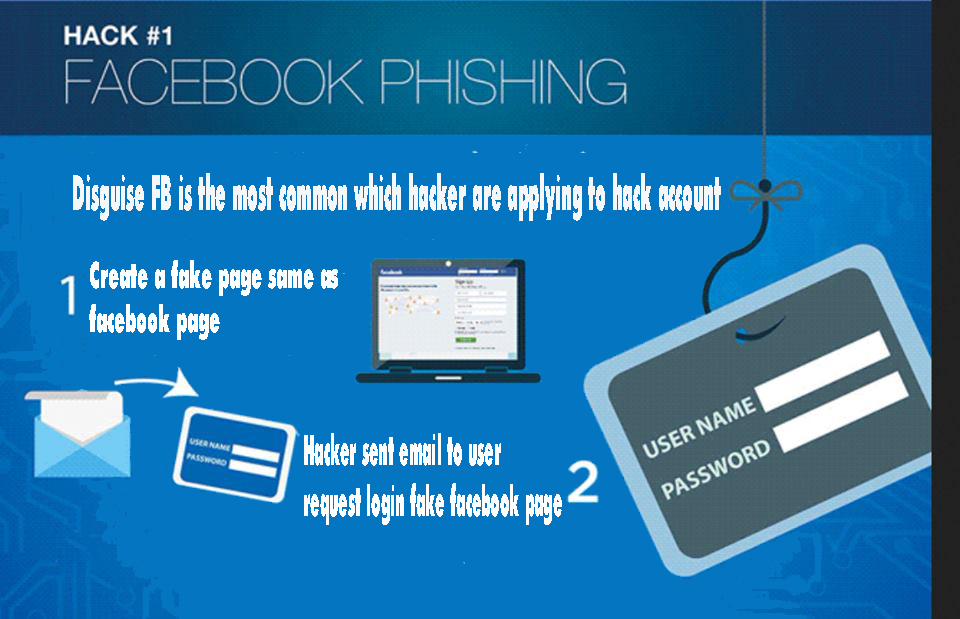
- Be careful with phishing scams: Be wary of any emails or messages that ask for your Facebook password or other sensitive information. Legitimate companies will never ask for your password, so be cautious when dealing with any suspicious communication.
Protecting Your Facebook Account: Best Practices
Protecting your Facebook account requires a combination of common sense, best practices, and a commitment to security. By following these essential tips, you can significantly reduce the risk of unauthorized access to your account:
- Change your password regularly
- Use a strong and unique password
- Enable two-factor authentication
- Monitor your account activity
- Use a secure browser and device
- Keep your device software up to date
- Be cautious with extensions and apps
- Be careful with phishing scams
Conclusion
Protecting your Facebook password is crucial to maintaining the security and integrity of your online presence. By following these essential tips and best practices, you can significantly reduce the risk of unauthorized access to your account. Remember, a strong password, two-factor authentication, and a commitment to security are the keys to unlocking a secure and private Facebook experience.
/images/2024/04/04/facebook-account-hacked-1.png "22 Tips to Protect Your Facebook Account from Hackers")
:max_bytes(150000):strip_icc()/002-how-to-change-your-facebook-password-4800202-d481107ca57541988144e9a90fa4b9a9.jpg "How to enable Advanced Protection on Facebook")