6 Essential Steps to Secure Your Instagram Account
In today's digital world, maintaining a secure social media account is crucial, especially with the rising cases of hacking and unauthorized access. One such platform that requires attention is Instagram, with over a billion active users worldwide. This comprehensive guide will walk you through the steps to secure your Instagram account, ensuring your personal and professional online presence remains safe and protected. By following these simple steps, you'll be shielded from potential threats and enjoy a worry-free experience on the platform.
Step 1: Enable Two-Factor Authentication (2FA)
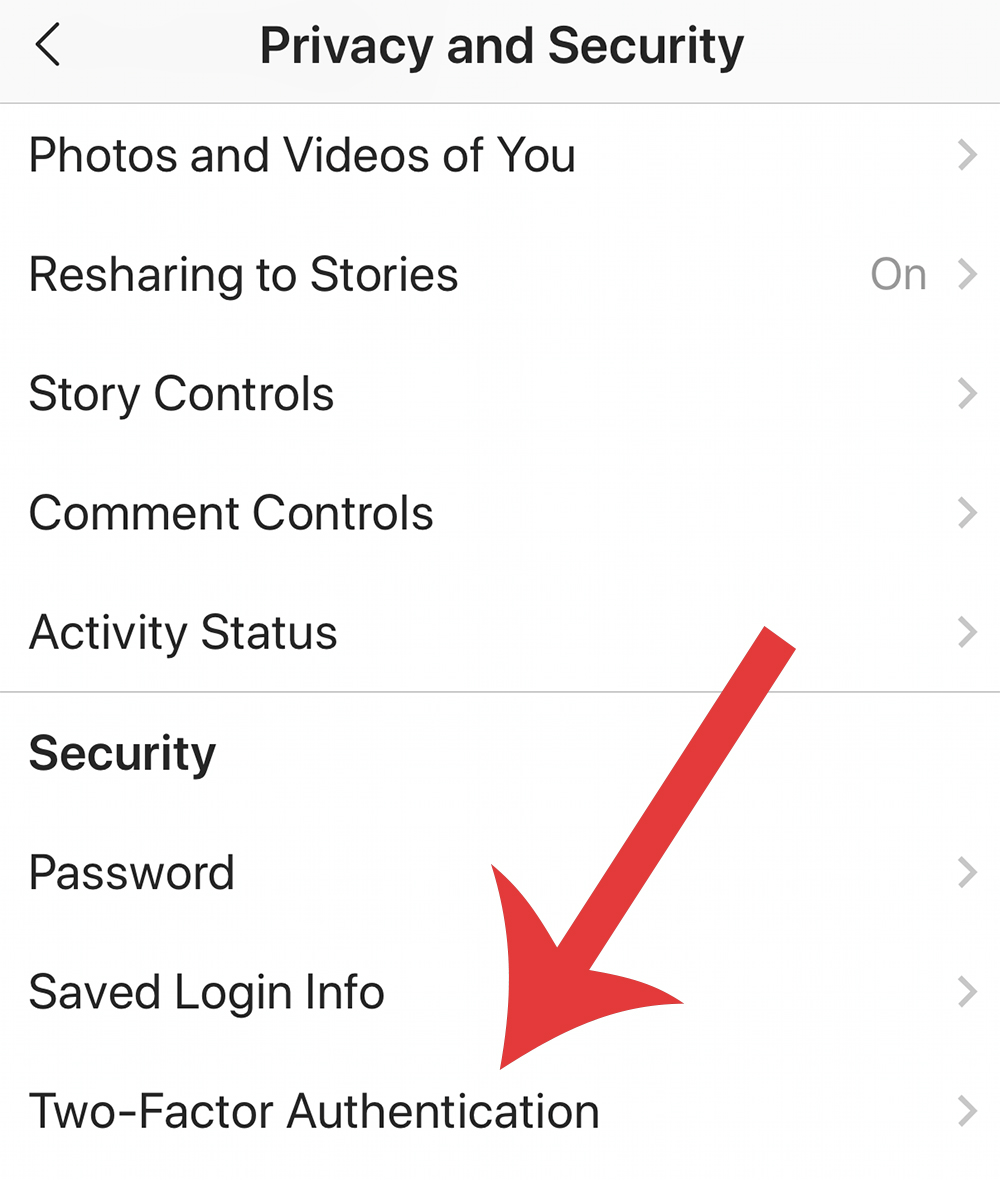
Two-factor authentication is the most effective step to protect your account from hackers. This feature adds an extra layer of security by requiring a code sent to your registered phone number or authenticator app whenever you log in from an unrecognized device. To enable 2FA, follow these steps:
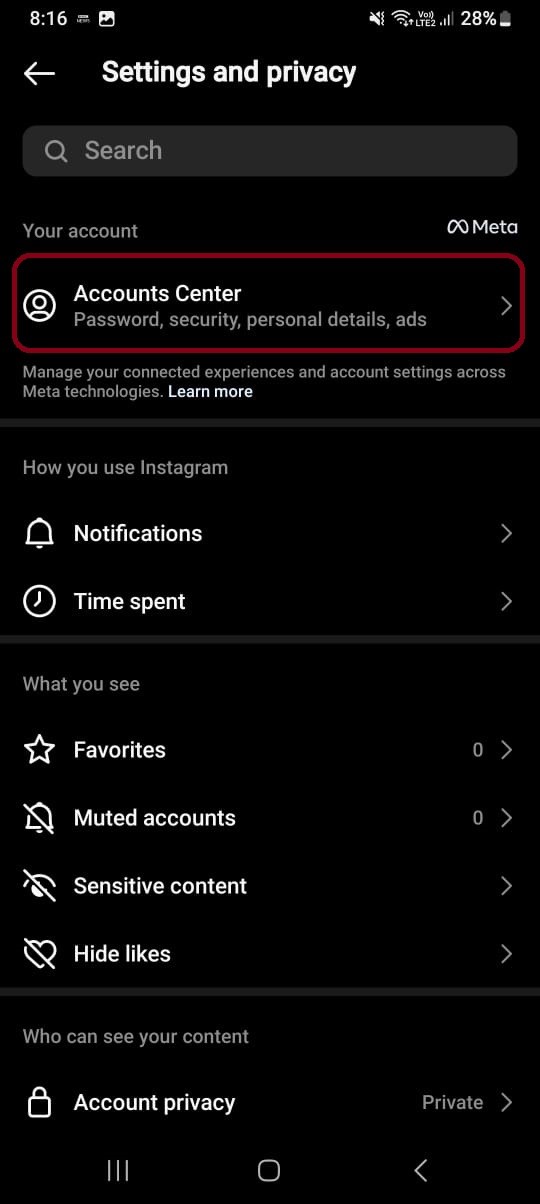
- Go to your Instagram settings and select "Security."
- Tap on "Two-Factor Authentication" and choose "Get Started."
- Choose your preferred method of receiving the verification code (SMS, authenticator app, or Google Authenticator).
- Enter the code provided by your chosen method and tap "Next."
Ensuring 2FA is enabled on your account is an absolute must, securing not just your Instagram account but also connected third-party services.
Step 2: Use Strong, Unique Passwords and Change Them Regularly
A weak password can leave your account vulnerable to hacking, especially if it's reused across multiple platforms. Follow these steps to create robust and unique passwords:
- Choose a password that's a combination of letters, numbers, and special characters.
- Mix up the character types to make it more complex and resistant to hacking.
- Avoid using easily guessable information, such as your name, birthdate, or common words.
- Update your password periodically, ideally every 60-90 days.
Step 3: Monitor Your Account Activity
Keeping an eye on suspicious activity can help you detect potential threats early. Here's how to monitor your Instagram account activity:
- Log in to your account and go to Settings > Security.
- Tap "See All Activity" to view a list of recent login activity.
- Look for any unfamiliar login attempts or devices.
- Report any suspicious activity to Instagram immediately.
Step 4: Review and Manage Your Third-Party Connections
Connected third-party apps can pose a risk to your account's security if not managed properly. Follow these steps to review and manage your connections:
- Go to your Instagram settings and select "Security."
- Tap "Apps and Websites" to view the list of connected third-party services.
- Review each app and website connected to your account.
- Disconnect any unwanted or unused connections.
Step 5: Protect Your Account with Instagram's Security Checkup Tool
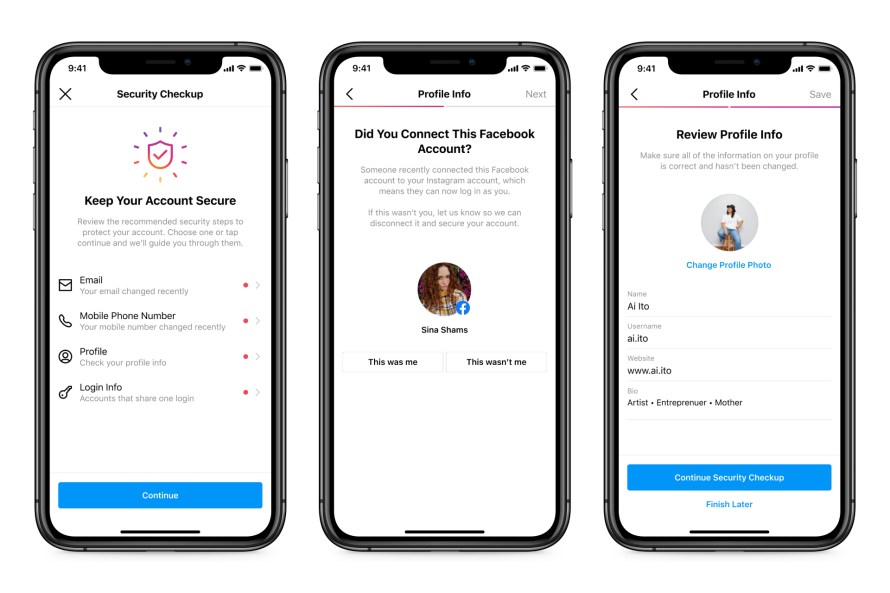
Instagram's Security Checkup tool helps you review and strengthen your account's safety in a few simple steps. Follow these steps to secure your account with the Security Checkup tool:
- Go to your Instagram settings and select "Security."
- Tap "Security Checkup" and follow the prompts to review your account's security.
- Complete any tasks recommended by the tool to strengthen your account's safety.
Step 6: Be Cautious with Shared Devices and Public Networks
When using public networks or shared devices, you're more vulnerable to hacking. Here's how to protect your account in such situations:
- Use a VPN to encrypt your internet connection when accessing public networks.
- Avoid logging in to your Instagram account on public devices or computers.
- Log out of your account on shared devices to prevent unauthorized access.
By following these steps to secure your Instagram account, you'll significantly enhance your online security and enjoy a stress-free experience on the platform. Remember, taking a few simple steps today can safeguard your digital life and peace of mind for years to come.
So, take control of your Instagram account's security and follow these essential steps to keep your online presence safe and protected. Visit Instagram's Help Center for more tips and resources on maintaining a secure account, and don't hesitate to reach out to your support team if you encounter any issues along the way.

![The Essential Guide to Secure Your Instagram Account [Updated]](https://rayabranding.com/wp-content/uploads/2023/01/Enable-two-step-authentication-in-the-application.jpg "The Essential Guide to Secure Your Instagram Account [Updated]")