How to Learn Python Logging
Python's built-in logging module is a powerful tool for tracking events and issues in your code. However, it can be overwhelming for beginners to learn how to use it effectively. In this article, we will provide a comprehensive guide on how to learn Python logging and make the most out of it.
Prerequisites
Before you start learning Python logging, make sure you have the latest version of Python installed on your machine (v3.10 at the time of writing). If you are missing Python, you can find the installation instructions here.
Understanding the Basics of Python Logging
Logging is a means of tracking events that happen when some software runs. The software's developer adds logging calls to their code to indicate that certain events have occurred. Python's logging module provides a flexible event logging system for applications and libraries.
Importing the Logging Module
The first step in using Python's logging module is to import it. You can do this by adding the following line of code to your Python script:
import logging
Creating a Logger
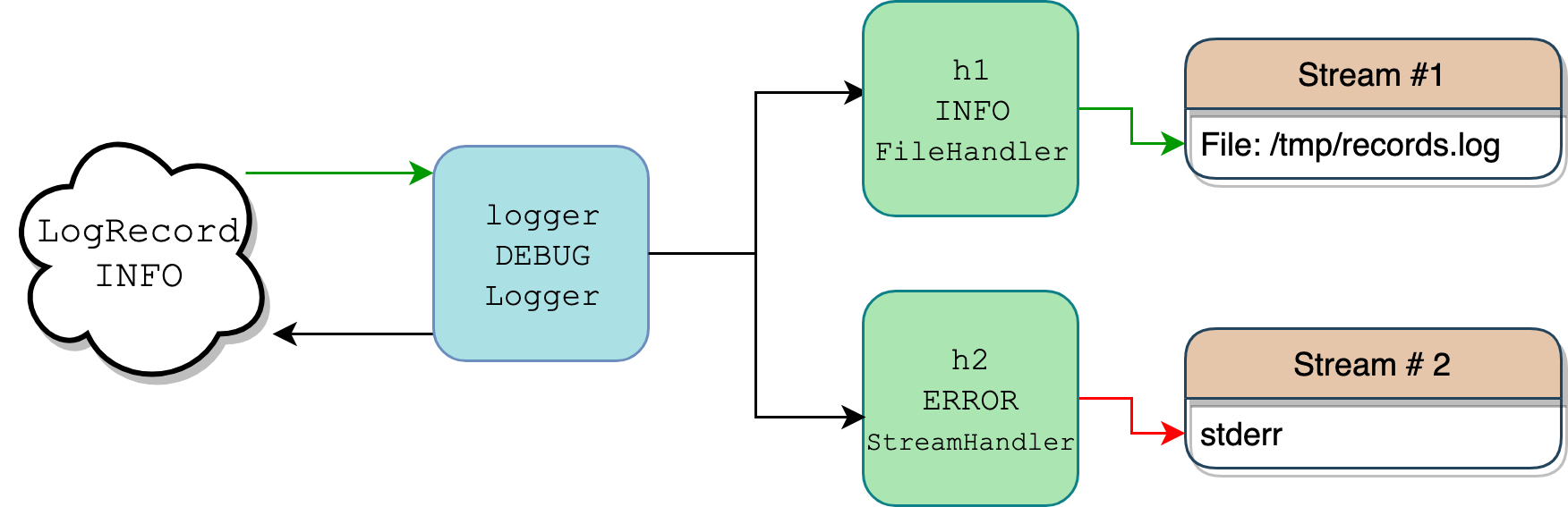
Once you have imported the logging module, you can create a logger. A logger is an object that handles the logging process. You can create a logger by using the following code:
logger = logging.getLogger()
Configuring the Logger
After creating a logger, you need to configure it. Configuration involves setting the filename, message format, and log level. You can do this by using the following code:
logger.setLevel(logging.INFO)
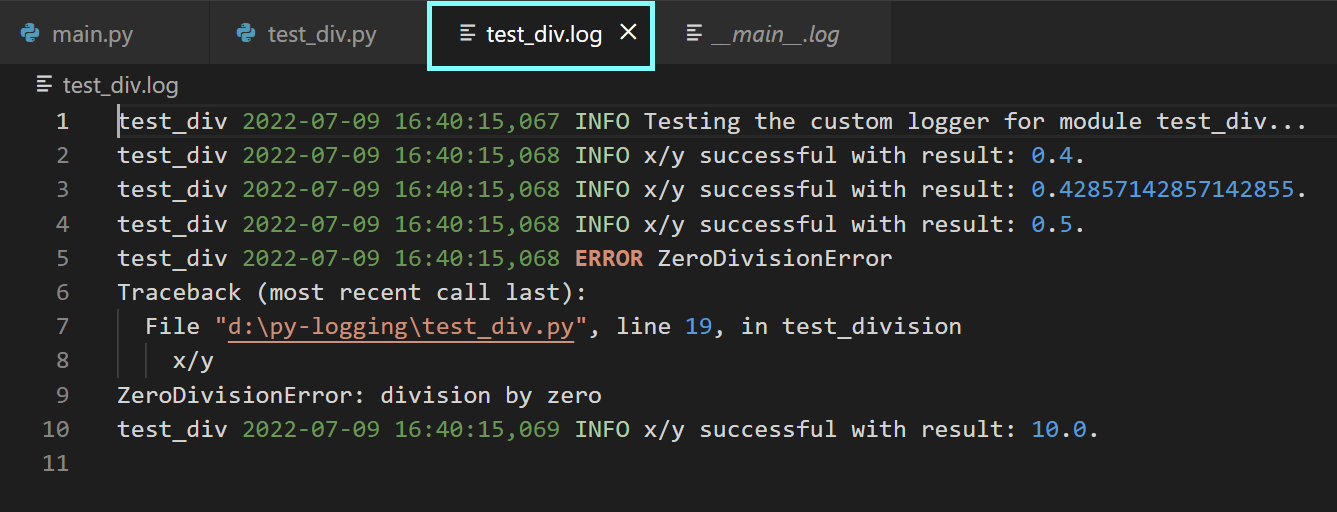
formatter = logging.Formatter('%(asctime)s - %(name)s - %(levelname)s - %(message)s')
file_handler = logging.FileHandler('log_file.log')
file_handler.setFormatter(formatter)
logger.addHandler(file_handler)

Using Log Levels
Python's logging module has several log levels, including DEBUG, INFO, WARNING, ERROR, and CRITICAL. You can use these log levels to control the level of logging in your application. For example, you can use the following code to log an error message:
logger.error('This is an error message')
Handling Exceptions
Python's logging module allows you to handle exceptions. You can use the following code to handle exceptions:
try:
    # Code that may raise an exception
except Exception as e:
    logger.error('An error occurred: %s', e)
Best Practices for Using Python Logging
Here are some best practices for using Python logging:
- Use log levels to control the level of logging in your application.
- Use handlers to log messages to files or the console.
- Use formatters to customize the format of log messages.
- Use the logging module to handle exceptions.
- Use logging to track events in your application.
Conclusion
Python's logging module is a powerful tool for tracking events and issues in your code. By following the steps outlined in this article, you can learn how to use Python logging effectively and make the most out of it.
Further Reading
For more information on Python logging, you can refer to the following resources: