How to Start a Successful Online Store on Amazon
Are you looking to tap into the vast potential of the Amazon marketplace and turn your business into a successful online store? If so, you're in the right place. In this article, we'll guide you through a step-by-step process on how to start a successful online store on Amazon.
Step 1: Understand Amazon's Business Model and Requirements
Amazon is a massive marketplace with over 300 million active customers. To start a successful online store on Amazon, you need to understand the platform's business model and requirements. This includes knowledge of Amazon's fees, policies, and procedures.
Amazon charges fees on sales, which range from 8% to 15% of the sale price, depending on the product category and pricing plan. Additionally, you'll need to pay for shipping, handling, and other expenses. To minimize costs, it's essential to choose a pricing plan that suits your business needs.
Step 2: Choose a Niche and Find Profitable Products
To succeed on Amazon, you need to find a niche that's profitable and has low competition. You can use tools like Amazon Best Sellers, Amazon Trends, and Marmalead to find products that are in high demand. It's also essential to research your competitors and understand their strategies.
When selecting products, consider factors like demand, competition, pricing, and shipping. You can use tools like Jungle Scout, AMZScout, or Helium 10 to help you find profitable products.
Step 3: Create a Professional Amazon Store
Creating a professional Amazon store is crucial for building trust and credibility with customers. You can create a custom store by uploading your branding, logos, and high-quality product images. This will help you stand out from the competition and increase conversions.
You'll also need to set up your store's categories, product listings, and content. Use Amazon's template to create a professionally designed store that's easy to navigate and visually appealing.
Step 4: Optimize Your Product Listings and Content
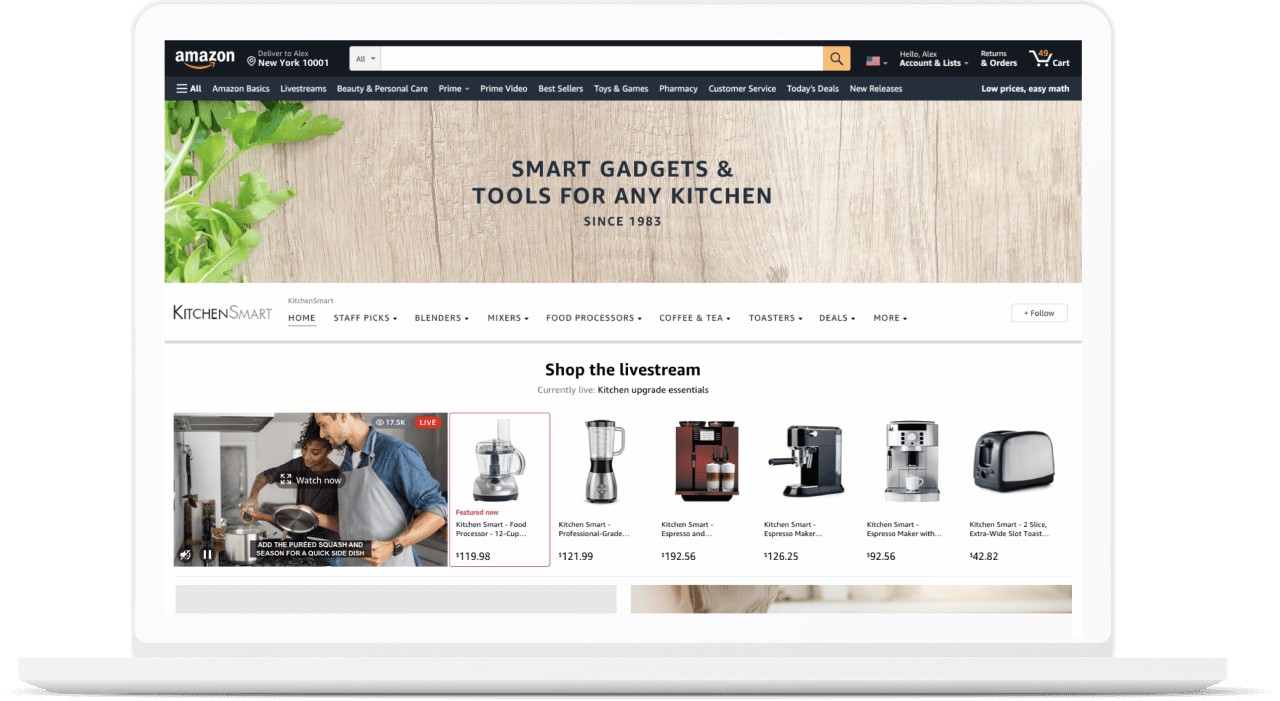
To rank high on Amazon's search results, you need to optimize your product listings and content. This includes using relevant keywords, product titles, and descriptions. You'll also need to optimize your images, videos, and reviews.
High-quality content is essential for engaging customers and increasing conversions. Use language that resonates with your target audience, and highlight the benefits and features of your products.
Step 5: Leverage Amazon Advertising and Promotions
Step 6: Monitor and Optimize Your Performance
To succeed on Amazon, you need to constantly monitor and optimize your store's performance. Use tools like Amazon Seller Central, Google Analytics, and third-party software to track your sales, traffic, and performance metrics.
Adjust your pricing, advertising, and promotions based on your analytics data to improve your store's performance. Continuously monitor customer reviews, feedback, and ratings to ensure you're meeting their expectations.
Conclusion
Starting a successful online store on Amazon requires a strategic approach, patience, and effort. By following these steps, you can launch a successful online store on Amazon and tap into the vast potential of the platform. Remember to stay up-to-date with Amazon's policies, procedures, and best practices to ensure your store's success.
Additional Tips and Resources
- Use Amazon's Fulfillment by Amazon (FBA) program to simplify shipping and handling.
- Invest in a professional Amazon seller account to access more features and tools.
- Utilize Amazon's advertising programs, such as Amazon Marketing Services (AMS) and Amazon Vine.
- Monitor and respond to customer reviews and feedback to improve your store's reputation.
- Stay up-to-date with Amazon's policies, procedures, and best practices to ensure compliance and success.
For more information and resources on how to start a successful online store on Amazon, check out the following:
- Amazon Seller Central: https://sellercentral.amazon.com
- Amazon Seller University: https://sellercentral.amazon.com/uk/your-account/seller-university
- Rocket Fuel: https://www.rocketfuel.com/amazon-tutorial
- Jungle Scout: https://www.junglescout.com
- Helium 10: https://www.helium10.com



![How To Start Selling On Amazon In 10 Steps [2025 GUIDE]](http://ratracerebellion.com/wp-content/uploads/2024/10/Amazon-Remote-Customer-Support-Specialist-Luxury-Stores.jpg "How To Start Selling On Amazon In 10 Steps [2025 GUIDE]")




.jpg "Amazon Delivery Service Partner Program - DSP")