Configuring Security on Home Router: A Comprehensive Guide
Setting up your home Wi-Fi router to optimize your privacy and cybersecurity is crucial. This guide will provide you with the minimum essential steps that you must take to ensure that your router doesn't introduce any unnecessary cybersecurity risks.
The Problem: Unsecured Home Wi-Fi Network is a Vulnerable Target
If you don't secure your home Wi-Fi network, cyber threat actors can perform a number of operations that can compromise your sensitive information and cause significant financial loss. Since your router is the hub for all of the devices on your home network, it plays a vital role in protecting all of the devices on your network against attacks from the internet.
The Risks of Unsecured Router
Cybercriminals are always on the lookout for weak spots in your home network and connected devices, and an outdated router security setting could leave your entire network exposed. Hackers can exploit this vulnerability to gain unauthorized access to your devices, intercept your sensitive information, and disrupt your network services. Therefore, it's essential to configure your router settings securely to prevent cyber-attacks and protect your home network.
Configuring Security on Home Router: Essential Tips for Protecting Your Network
Configuring security on your home router is a straightforward process that can be completed in a few simple steps. Here are some essential tips for protecting your network:
1. Disable Remote Access
Routers offer a web interface, allowing you to configure and monitor your router settings remotely. To ensure your router's security, you should disable remote access whenever you're not using it. This will prevent hackers from using the remote access feature to gain access to your router and your home network.
2. Update Your Router's Firmware Regularly
Regularly updating your router's firmware can prevent security vulnerabilities and ensure your router runs efficiently. You should also enable automatic firmware updates to keep your router secure and up-to-date.
3. Use WPA3 Encryption
WPA3 encryption is the latest encryption standard for Wi-Fi networks. Using WPA3 encryption will ensure that your Wi-Fi network is secure, even if your password is breached.
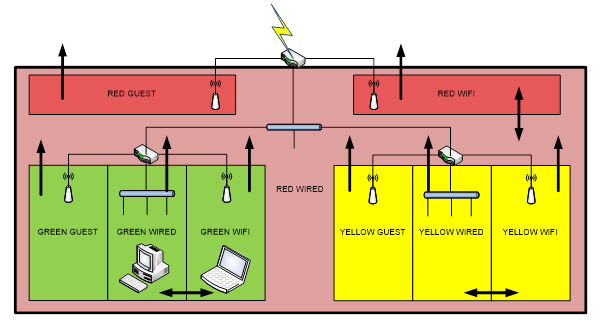
4. Set Up a Guest Network
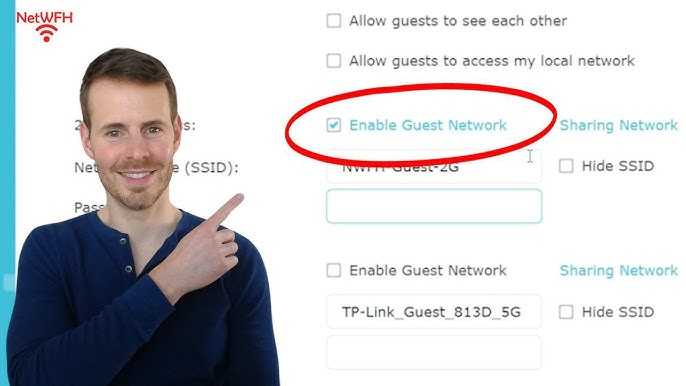
Guest networks allow you to provide secure internet access to your visitors without compromising your home network. You should set up a guest network and configure it to use a different SSID and password, making it easier to manage and secure.
5. Turn On Your Router's Firewall
Enabling the firewall on your router will prevent unauthorized access to your network and block malicious traffic. You should configure your firewall settings to block incoming traffic and only allow outgoing traffic.
6. Protect Your Devices
Protecting your devices is essential to secure your network. You should ensure that all devices on your network have a strong password and the latest security updates. You should also enable secure protocols, such as HTTPS and SSH, and configure your devices to use a VPN when accessing the internet.
7. Enable Content Filtering
Enabling content filtering can block access to malicious websites and restrict internet access to certain devices. You should configure your content filtering settings to block known malicious websites and restrict access to adult content.
8. Use a VPN
Using a VPN can secure your internet traffic and mask your IP address, making it difficult for hackers to identify you. You can configure your router to use a VPN or install a VPN client on your devices.
9. Log Out as Administrator
Logging out as an administrator after configuring your router settings will prevent unauthorized access to your router. You should also change your admin password regularly and use a strong and unique password.
_20240830055723o.jpg "Module 5: Securing Your Home Wi-Fi - CISA")