Setting Up a Twitch Stream for Gaming: Tips and Tricks
Are you ready to share your gaming passion with the world? With over 2 million active streamers on Twitch, it's never been easier to connect with a community of like-minded individuals and showcase your talents. In this article, we'll cover the essential tips and tricks for setting up a Twitch stream for gaming, from equipment and software to audience engagement and promotion.
Choosing the Right Equipment
When it comes to setting up a Twitch stream, having the right equipment is crucial. Here are some essential items you'll need:
- A high-quality webcam for face-cam interactions
- A reliable microphone for clear and crisp audio
- A good computer or console for smooth and lag-free gameplay
- Stable internet for uninterrupted streaming
- Broadcasting software like OBS or XSplit
It's worth noting that you don't need the most expensive equipment to get started. A basic webcam and microphone can be sufficient for high-quality streaming. The key is to find the right balance between quality and affordability.
Configuring Your Streaming Software
Once you have your equipment, it's time to set up your streaming software. Here are some tips for configuring OBS or XSplit:
- Download and install the software
- Set up your stream keys and channel information
- Configure your video and audio settings
- Choose your stream quality and resolution
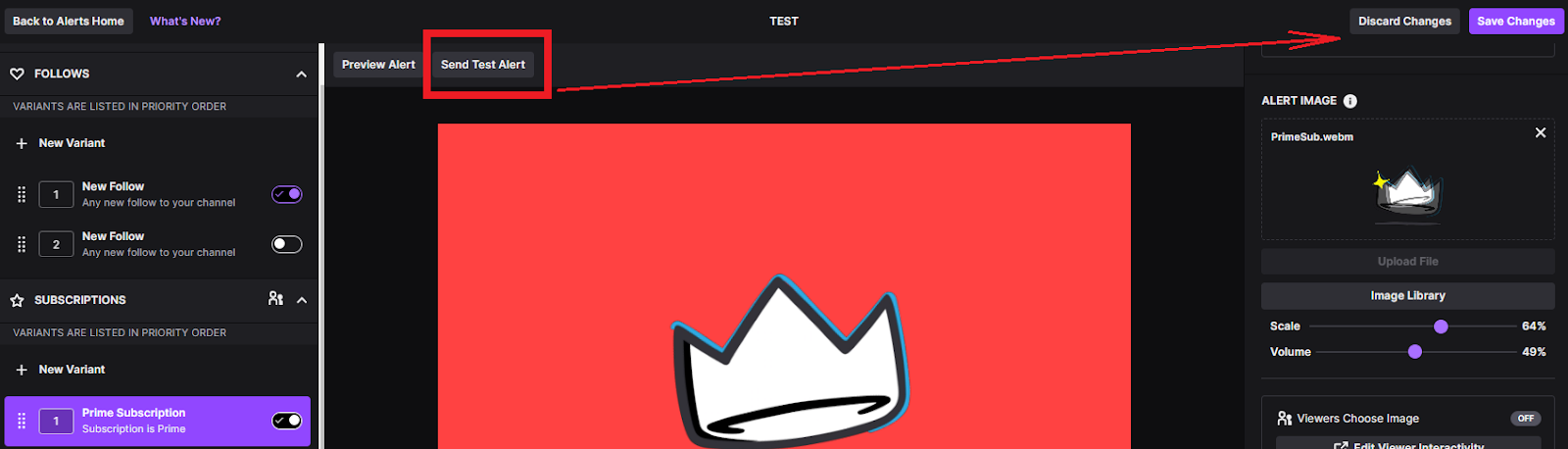
- Set up alert systems and notifications
It's also essential to test your stream before going live to ensure that everything is working correctly.
Building Your Audience
The key to success on Twitch is building a loyal audience. Here are some tips for growing your subscriber base:
- Stream consistently to create a regular schedule
- Engage with your viewers through live chat and polls
- Offer exclusive content or rewards for loyal viewers
- Collaborate with other streamers or influencers
- Promote your stream on social media and gaming forums
Consistency is key to building a loyal audience. Aim to stream at the same time every week and make sure to interact with your viewers in real-time.
Monetizing Your Stream
Once you've built a loyal audience, it's time to monetize your stream. Here are some ways to earn money on Twitch:
- Subscriptions and donations
- Ad revenue through the Twitch Partner Program
- Virtual goods and merchandise sales
- Sponsorships and brand deals
- Merchandise and affiliate marketing
It's worth noting that monetizing a stream on Twitch requires meeting certain requirements, such as having a large and engaged audience and complying with Twitch's community guidelines.
Conclusion
Setting up a Twitch stream for gaming can seem daunting, but with the right equipment, software, and strategies, you can create a successful and engaging stream that showcases your talents and connects with a community of like-minded individuals. Whether you're a seasoned gamer or a creative artist, Twitch is the perfect platform to share your passion with the world.
Further Reading
For more tips and tricks on setting up a Twitch stream, check out the following resources:
- OBs Studio Guide: A Complete Guide to Streaming with OBS Studio
- Setting Up a Twitch Mobile Gaming Stream: A Step-by-Step Guide





:max_bytes(150000):strip_icc()/A4-StreamonTwitch-annotated-2a5e5dbe5b864c71949ff2c7c21eb299.jpg "Sound Alerts — Your all-in-one Livestream Tool")

