Understanding Basic Network Configuration
In today's digital age, network configuration is a fundamental concept that plays a crucial role in ensuring seamless communication and data exchange between devices. A basic network configuration is the process of setting up and managing network settings, policies, flows, and controls to enable efficient communication and data exchange.
What is Basic Network Configuration?
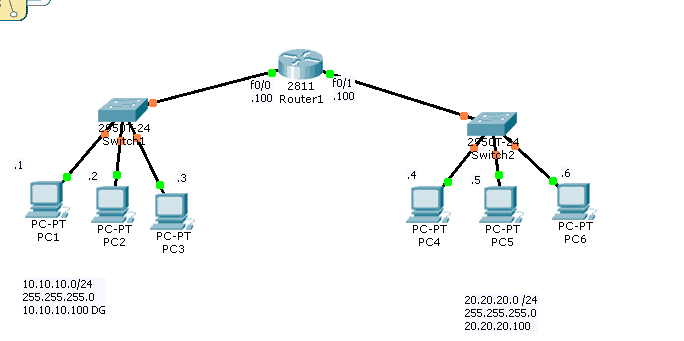
Basic network configuration involves assigning network settings, such as IP addresses, subnet masks, gateway addresses, and DNS server addresses, to devices on a network. It also includes configuring network interfaces, setting up routing, and managing network security and access controls. The goal of network configuration is to ensure that devices on a network can communicate with each other efficiently and securely.
Types of Network Configuration
There are several types of network configurations, including:
- Local Area Network (LAN) configuration: Configuring network settings for devices connected to a local area network.
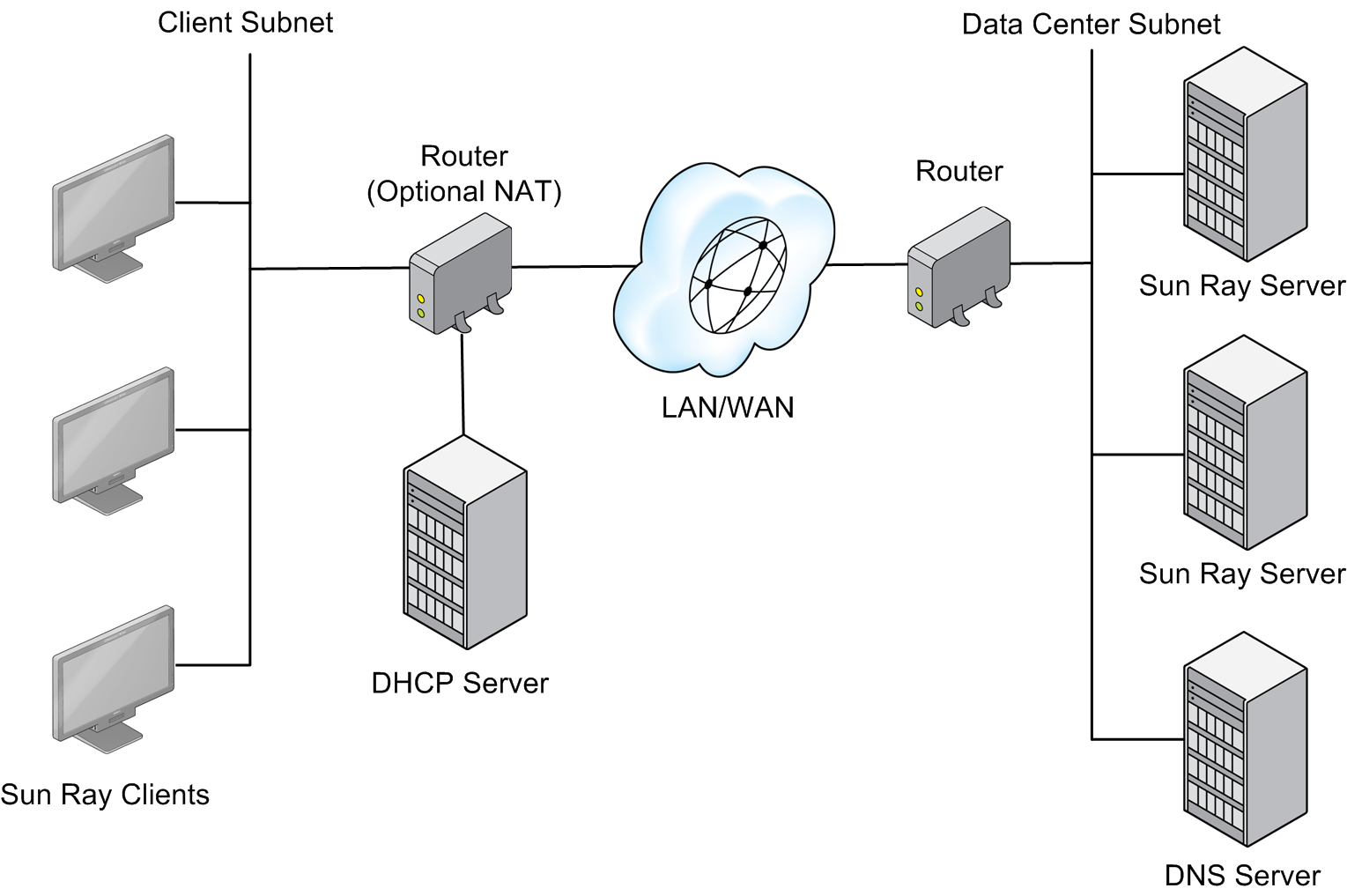
- Wide Area Network (WAN) configuration: Configuring network settings for devices connected to a wide area network.
- Wireless Network (WLAN) configuration: Configuring network settings for devices connected to a wireless local area network.
- Virtual Private Network (VPN) configuration: Configuring network settings to secure and extend network connectivity over the internet.
Network Configuration Tools and Commands
There are several network configuration tools and commands that can be used to configure and manage network settings. Some of these tools and commands include:
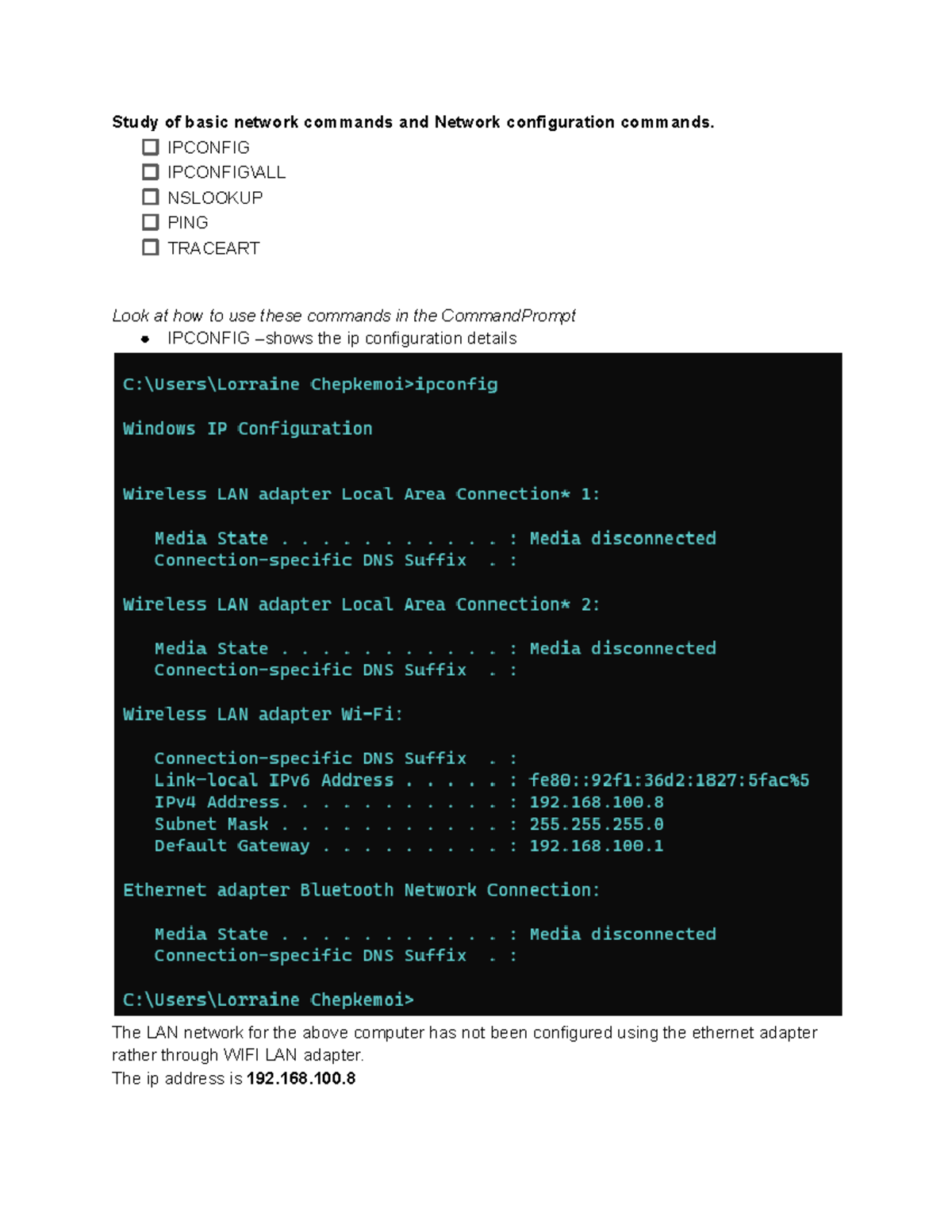
- ipconfig: A command-line utility used to display and configure IP address settings.
- ping: A command-line utility used to test network connectivity and latency.
- tracert: A command-line utility used to display the path a packet takes to reach a destination network.
- arp: A command-line utility used to display and manage ARP cache entries.
- netstat: A command-line utility used to display network socket and interface statistics.
Basic Network Configuration Steps
The following are the basic steps to configure a network:
- Identify the network devices and their IP addresses.
- Configure the network interface settings, including IP address, subnet mask, and gateway address.
- Set up routing and routing protocols.
- Manage network security and access controls.
- Test network connectivity and configuration.
Best Practices for Network Configuration
Here are some best practices for network configuration:
- Use standardized network configuration settings and protocols.
- Use network segmentation and isolation to improve security.
- Monitor and manage network traffic to prevent congestion and outages.
- Perform regular network backups and maintenance.
Conclusion
In conclusion, basic network configuration is a critical aspect of networking that requires careful planning and execution to ensure seamless communication and data exchange between devices. By understanding the basic network configuration concepts, tools, and commands, you can configure and manage network settings to improve network performance, security, and reliability.