Keeping Your Cell Phone Secure Online: The Ultimate Guide
With the increasing importance of cell phones in our daily lives, it's essential to keep them secure online to protect our sensitive information from falling into the wrong hands. In this article, we'll share the most effective tips for keeping cell phone secure online, helping you to elevate your device's defenses and safeguard your personal data.
The Basics of Mobile Security
Mobile security is a broad term that encompasses various strategies and software designed to protect mobile devices, including phones, tablets, and laptops, from hackers, malware, and identity theft.
The Risks Associated with Cell Phone Security
When your cell phone is compromised, you may lose access to sensitive information, such as credit card numbers, passwords, and personal photos. In the worst-case scenario, identity theft can occur, causing you significant financial and emotional distress.
10 Essential Tips for Keeping Your Cell Phone Secure

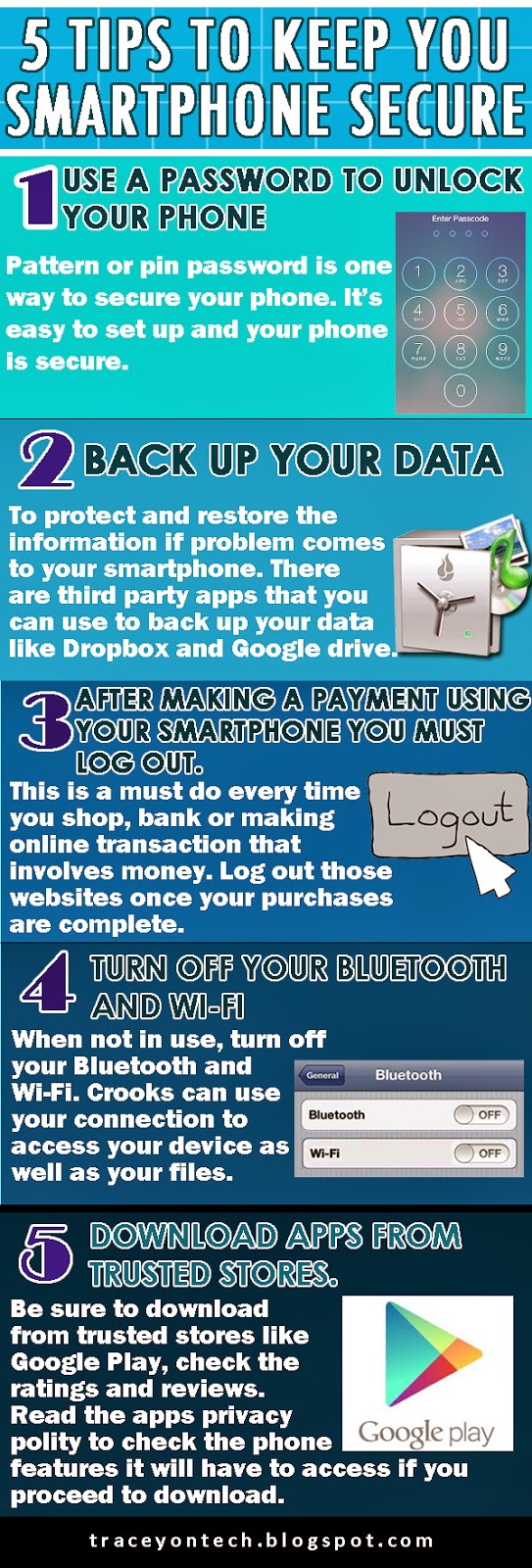
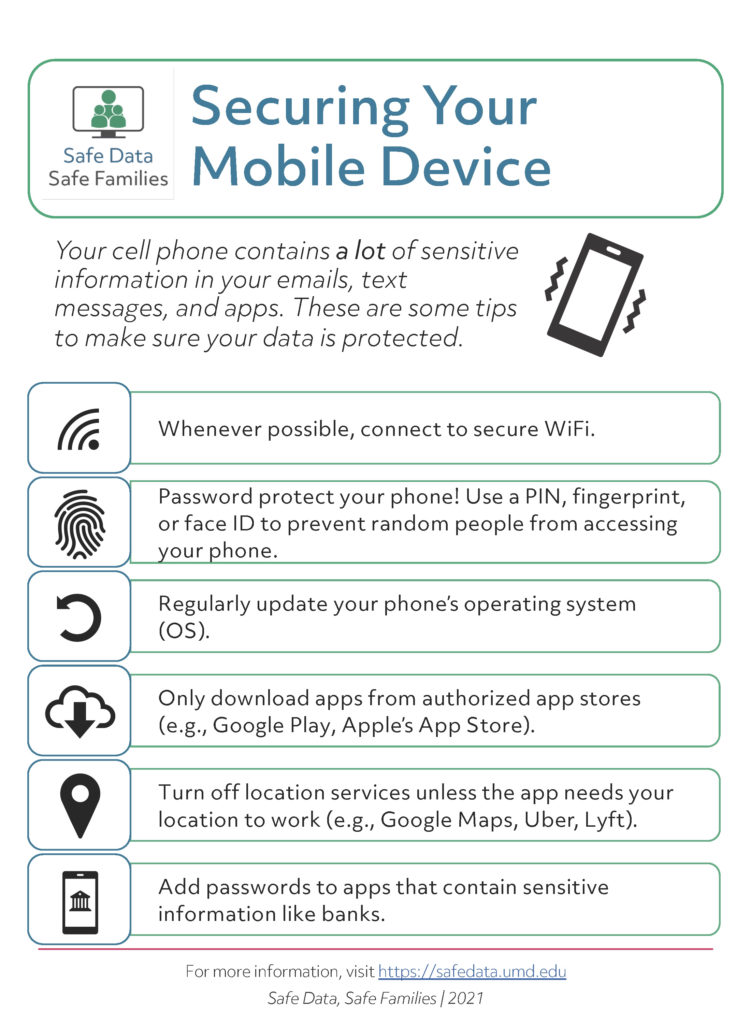
- 1. Use a Strong Password: Make sure to create a unique and complex password for your phone and online accounts to prevent unauthorized access.
- 2. Enable Two-Factor Authentication (2FA): Add an extra layer of security to your accounts by requiring a second form of verification, such as a fingerprint or a one-time password, in addition to your password.
- 3. Regularly Update Your Phone's Software: Keep your phone's operating system and apps up-to-date to ensure you have the latest security patches and features.
- 4. Use a VPN: Virtual Private Network (VPN) helps encrypt your internet traffic, protecting your data from interception and eavesdropping.
- 5. Be Cautious with Public Wi-Fi: Avoid using public Wi-Fi networks for sensitive transactions, as they may not be secure.
- 6. Use a Secure Browser: Choose a browser that offers advanced security features, such as a password manager and tracking protection.
- 7. Keep Your Phone's Location Services Turned Off: Disabling location services can prevent unwanted tracking and reduce the risk of data breaches.
- 8. Back Up Your Data Regularly: Ensure that your phone's data is safely stored in a secure location, making it easier to recover in case of a loss or theft.
- 9. Use a Password Manager: Utilize a password manager to securely store and generate complex passwords for all your online accounts.
- 10. Monitor Your Phone's Performance: Regularly check for suspicious activity and ensure your phone's performance is not affected by malware or viruses.
Advanced Mobile Security Tips
Additional measures can further enhance your phone's security, such as:
- Using a phone-specific security app to detect and eliminate threats
- Enabling a screen lock, such as a PIN or fingerprint scanner, to prevent unauthorized access
- Using a secure messaging app that offers end-to-end encryption and secure storage
- Keeping your phone's IMEI number secure and checking it regularly to prevent its misuse
- Using a phone case or wallet with a built-in screen protector and card slot for added security
Conclusion
Keeping your cell phone secure online requires constant vigilance and a proactive approach. By following these practical tips for keeping cell phone secure online, you can significantly reduce the risk of data breaches, identity theft, and other cyber threats. Stay informed, stay safe, and keep your mobile security at the forefront of your mind.
![10 Ways to Secure Mobile Devices [2024] - Panda Security](https://media.licdn.com/dms/image/D5612AQF2PlDprwWJfw/article-cover_image-shrink_720_1280/0/1680018816140?e=2147483647&v=beta&t=LiQGW4wyosAx95pnr8A9BWxzoDULrcHg9e3tgZccPxk "10 Ways to Secure Mobile Devices [2024] - Panda Security")