Home Network Security Tips and Tricks: 10 Essential Steps to Secure Your Home Network
Are you concerned about the security of your home network? You should be! With the rise of remote work and online activities, your home network has become a vital part of your daily life. A secure home network is essential to protect your personal and financial information, as well as your devices from hacking and cyber attacks.
Why Home Network Security Matters
Home network security involves protecting yourself from router attacks, and it's more than just setting up a firewall. A secure home network helps prevent unauthorized access to your devices and data, and it's crucial to keep up with the latest Wi-Fi standards and technologies to stay ahead of hackers. In this article, we'll provide you with ten essential steps to secure your home network.
10 Essential Steps to Secure Your Home Network
- Secure Your Wi-Fi Network with Strong Passwords: Change your router's default password and use a strong, unique password for your Wi-Fi network. Avoid using easily guessable information such as your name, birthdate, or common words.
- Update Your Router's Firmware: Regularly update your router's firmware to ensure you have the latest security patches and features.
- Use WPA3 Encryption: WPA3 is a more secure encryption standard than WPA2, and it's backward compatible, so you can use it even if you have older devices.
- Hide Your Wi-Fi Network SSID: Don't broadcast your network's SSID to prevent accidental connections or hacking attempts.
- Use a Virtual Private Network (VPN): A VPN creates a secure tunnel for your internet traffic, encrypting your data and protecting your identity.
- Implement a Guest Network: Create a separate network for guests to prevent them from accessing your main network and sensitive data.
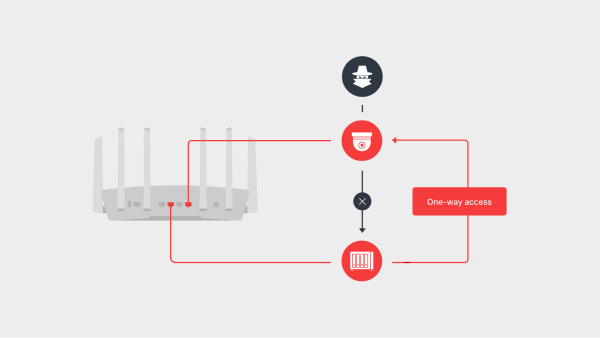
- Use Network Segmentation: Segment your network into different sub-networks to limit access and prevent lateral movement in the event of a breach.
- Monitor Your Network: Use tools and software to monitor your network traffic and detect any suspicious activity.
- Keep Your Devices Up-to-Date: Regularly update your devices' operating systems and software to ensure you have the latest security patches and features.
- Use Two-Factor Authentication: Add an extra layer of security by requiring a second form of verification, such as a password or biometric authentication, to access your network or devices.

Protect Your Home Network from Cyber Threats
By following these ten essential steps, you'll significantly improve the security of your home network. Remember to stay up-to-date with the latest Wi-Fi standards, technologies, and security best practices to keep your network safe from cyber threats.
Conclusion
Home network security is a critical aspect of protecting your personal and financial information. By implementing these ten essential steps, you'll create a secure and reliable home network that will shield your devices and data from hackers and cyber attacks. Remember to stay vigilant and update your knowledge with the latest security best practices to ensure your home network remains secure.