How to Make a YouTube Channel Look Professional
In today's competitive digital landscape, having a professional-looking YouTube channel is crucial for standing out and attracting viewers. A well-branded channel not only enhances your credibility but also helps you establish a strong connection with your audience.
Why a Professional YouTube Channel Matters
According to recent statistics, more than 2 billion people log in to YouTube each month, watching over 1 billion hours of content every day. With such a massive audience, making your channel stand out is more challenging than ever. A professional YouTube channel helps you:
- Establish credibility and trust with your audience
- Create a recognizable brand identity
- Differentiate yourself from competitors
- Improve viewer engagement and retention
Create a Consistent Brand Identity
A strong brand identity is the foundation of a professional YouTube channel. It encompasses various visual elements, including your logo, color scheme, fonts, and overall aesthetic. To create a consistent brand identity, consider the following:
- Develop a unique logo that represents your channel
- Choose a color scheme that reflects your brand and is easy to recognize
- Select fonts that are clean, legible, and consistent with your brand
- Create a consistent tone and voice for your content
Customize Your Channel Art
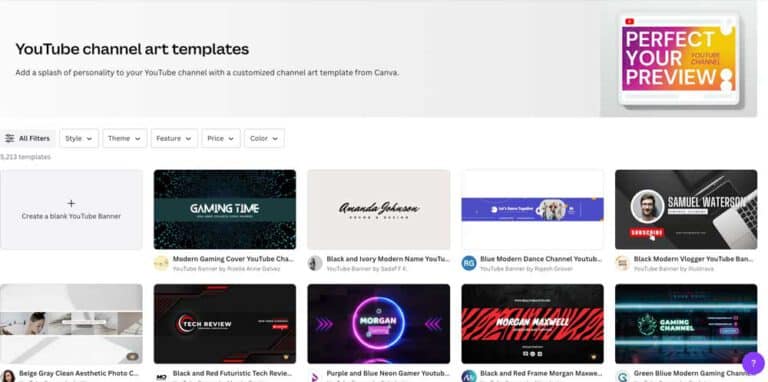
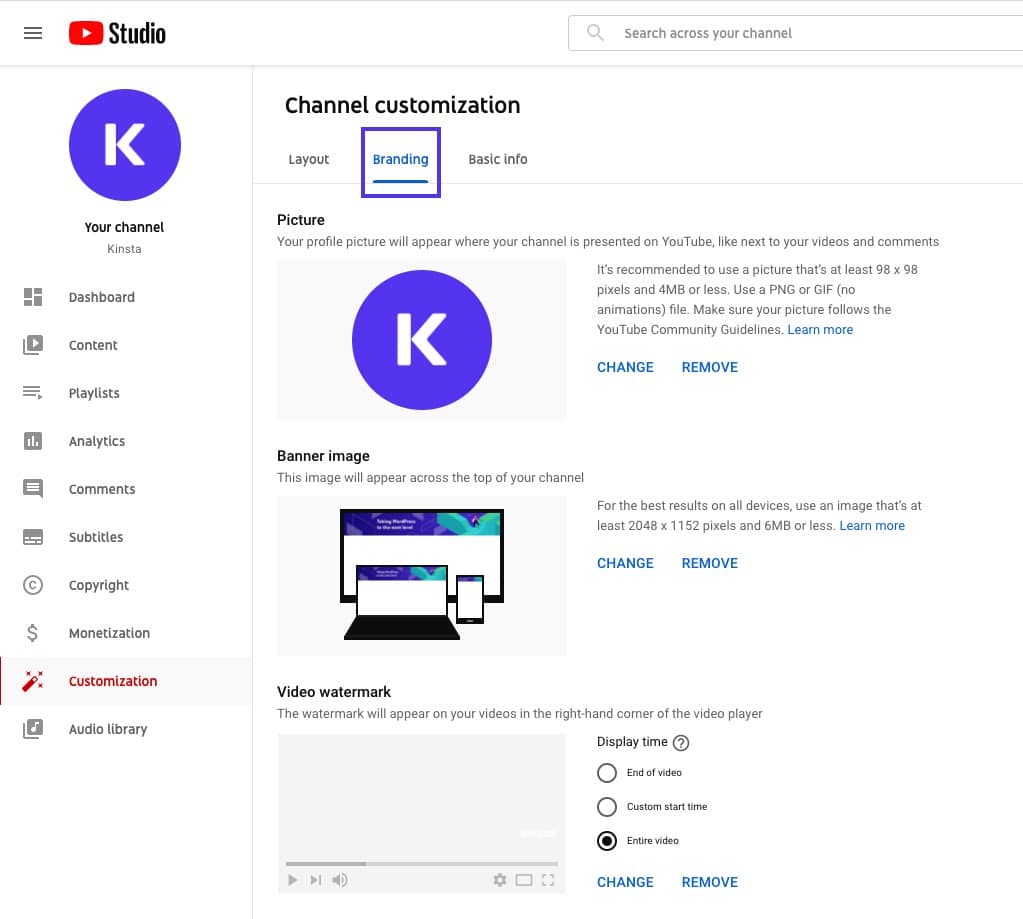
Your channel art is the first thing viewers see when they visit your channel. It's essential to make a strong impression with a visually appealing banner, profile picture, and home tab layout. Consider the following tips:
- Use high-quality images or graphics that reflect your brand
- Choose a clear and simple design that's easy to read and understand
- Include important information, such as your channel name and tagline
- Make sure your channel art is mobile-friendly and adaptable to different screen resolutions
Optimize Your Video Thumbnails and Titles

Video thumbnails and titles are crucial for grabbing viewers' attention and enticing them to click on your video. Consider the following tips:
- Use high-quality images or graphics that reflect your brand
- Choose clear and descriptive titles that accurately reflect the content of your video
- Include relevant keywords in your titles and descriptions
- Make sure your thumbnails are eye-catching, relevant, and attention-grabbing
Create a Channel Trailer
A channel trailer is a brief video that showcases your channel's personality and content. It's an essential tool for attracting new viewers and subscribers. Consider the following tips:
- Keep your trailer short, concise, and engaging
- Showcase your channel's unique personality and content style
- Incorporate your brand elements, such as your logo and color scheme
- Make sure your trailer is optimized for mobile devices and various screen resolutions
Take Your YouTube Channel to the Next Level
By implementing these strategies, you'll be able to create a professional-looking YouTube channel that attracts and engages your target audience. Remember to:
- Consistently produce high-quality content that aligns with your brand and target audience
- Engage with your audience and respond to comments and feedback
- Monitor your analytics and adjust your strategy accordingly
- Continuously improve and refine your brand identity and content strategy
By following these tips and best practices, you'll be able to create a YouTube channel that is professional, engaging, and memorable. Remember, your YouTube channel is a representation of your brand, so make sure it shines!
Conclusion
Creating a professional-looking YouTube channel requires effort, dedication, and creativity. By customizing your channel art, optimizing your video thumbnails and titles, and creating a channel trailer, you'll be able to establish a strong brand identity and attract and engage your target audience. Remember to consistently produce high-quality content, engage with your audience, and continually improve and refine your brand identity and content strategy.







![Social media image sizes for all networks [March 2026] - Hootsuite](https://fiverr-res.cloudinary.com/images/t_main1,q_auto,f_auto,q_auto,f_auto/gigs/413808277/original/dbe990f559be18c7853d6d1f12b5f32171118070/create-youtube-channel-with-a-professional-setup.jpg "Social media image sizes for all networks [March 2026] - Hootsuite")