Designing for Accessibility: A Guide to Creating Inclusive Digital Experiences
Designing for accessibility is not just a moral imperative, but also a business necessity in today's digital landscape. As the world becomes increasingly dependent on technology, creating digital products that are accessible to everyone, regardless of ability, is crucial for business success. In this article, we'll explore the importance of designing for accessibility, and provide actionable tips and best practices for designers, developers, and product teams.
What is Accessibility?
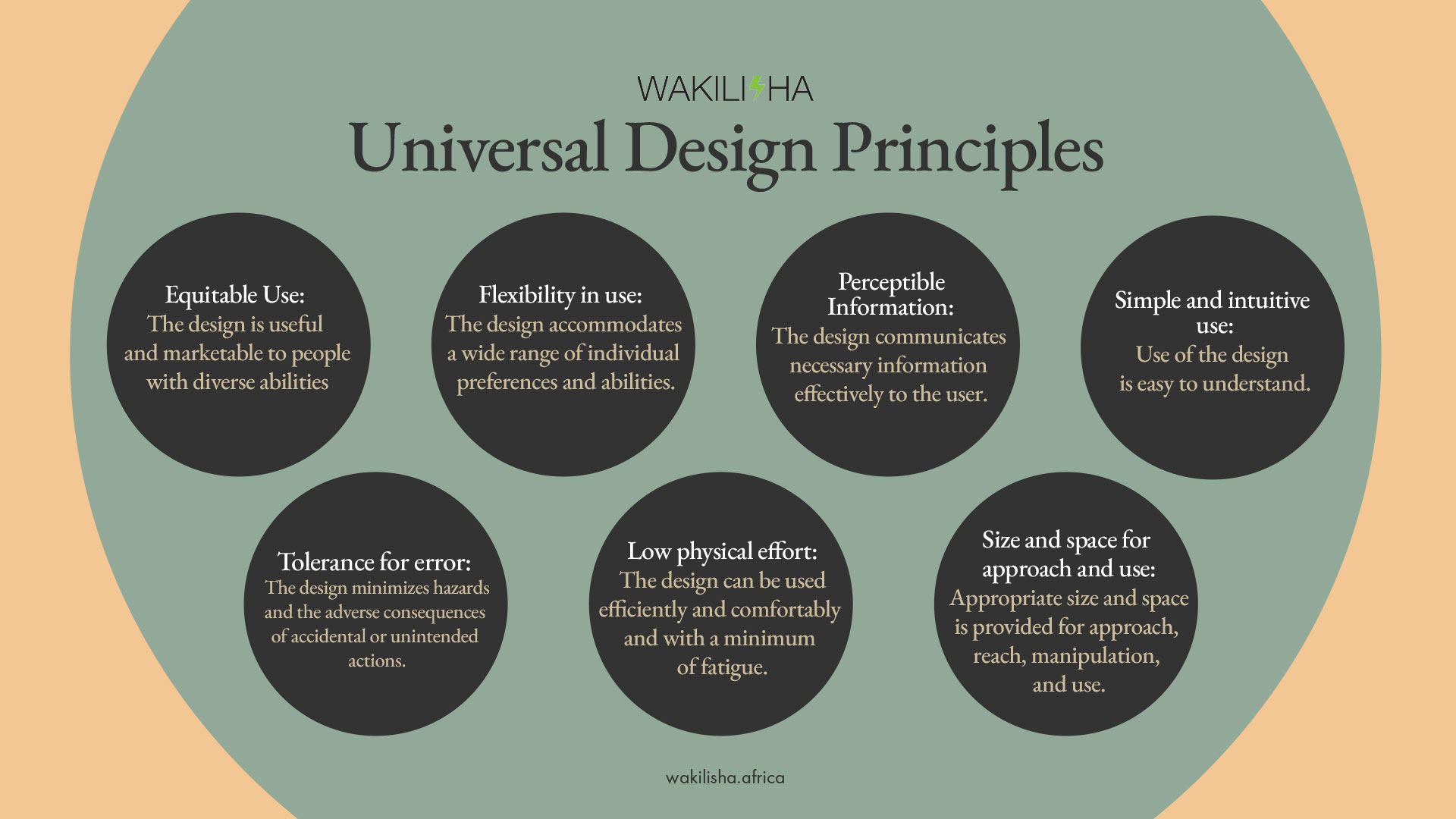
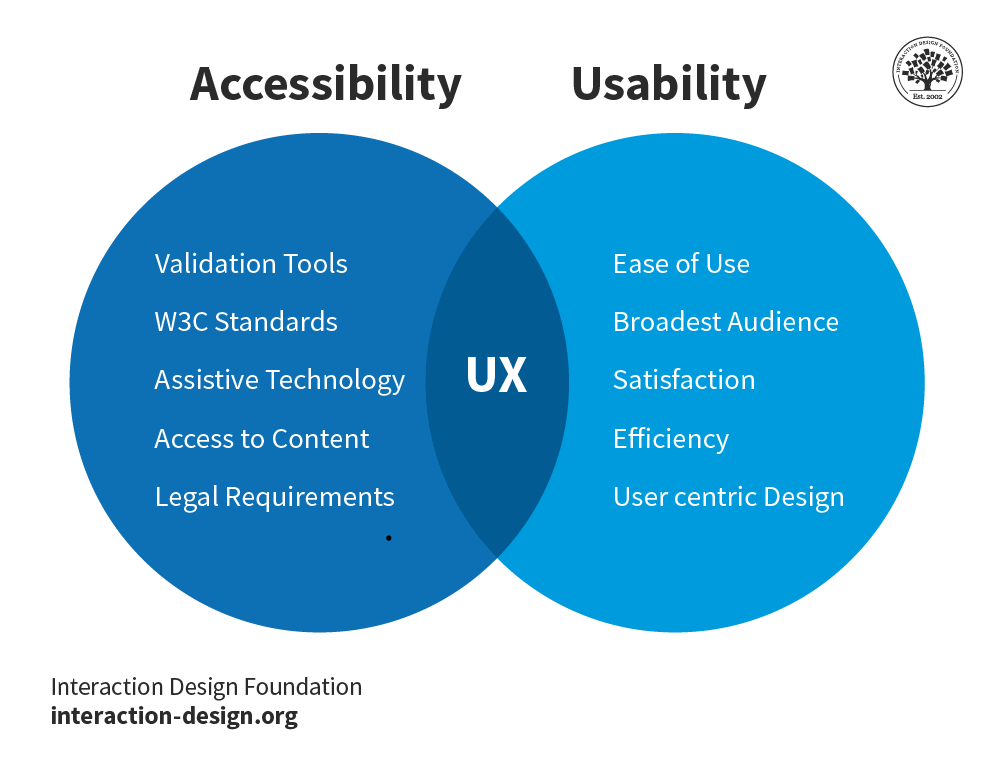
Accessibility refers to the design of digital products that can be used by everyone, regardless of their abilities. This includes people with disabilities, such as visual, auditory, physical, speech, cognitive, and neurological disabilities. Accessibility is not just about meeting legal requirements, but also about creating a positive and inclusive user experience.
Why Design for Accessibility?
Designing for accessibility has numerous benefits for businesses, including:
- Improved user experience: Accessible design ensures that all users can use and interact with digital products, regardless of their abilities.
- Increased brand reputation: Companies that prioritize accessibility demonstrate a commitment to inclusivity and social responsibility.
- Compliance with laws and regulations: Failure to meet accessibility standards can result in costly lawsuits and reputational damage.
- Cost savings: Designing for accessibility upfront reduces the need for costly retrofits and amendments down the line.
Designing for Accessibility: Key Considerations
When designing for accessibility, consider the following key factors:
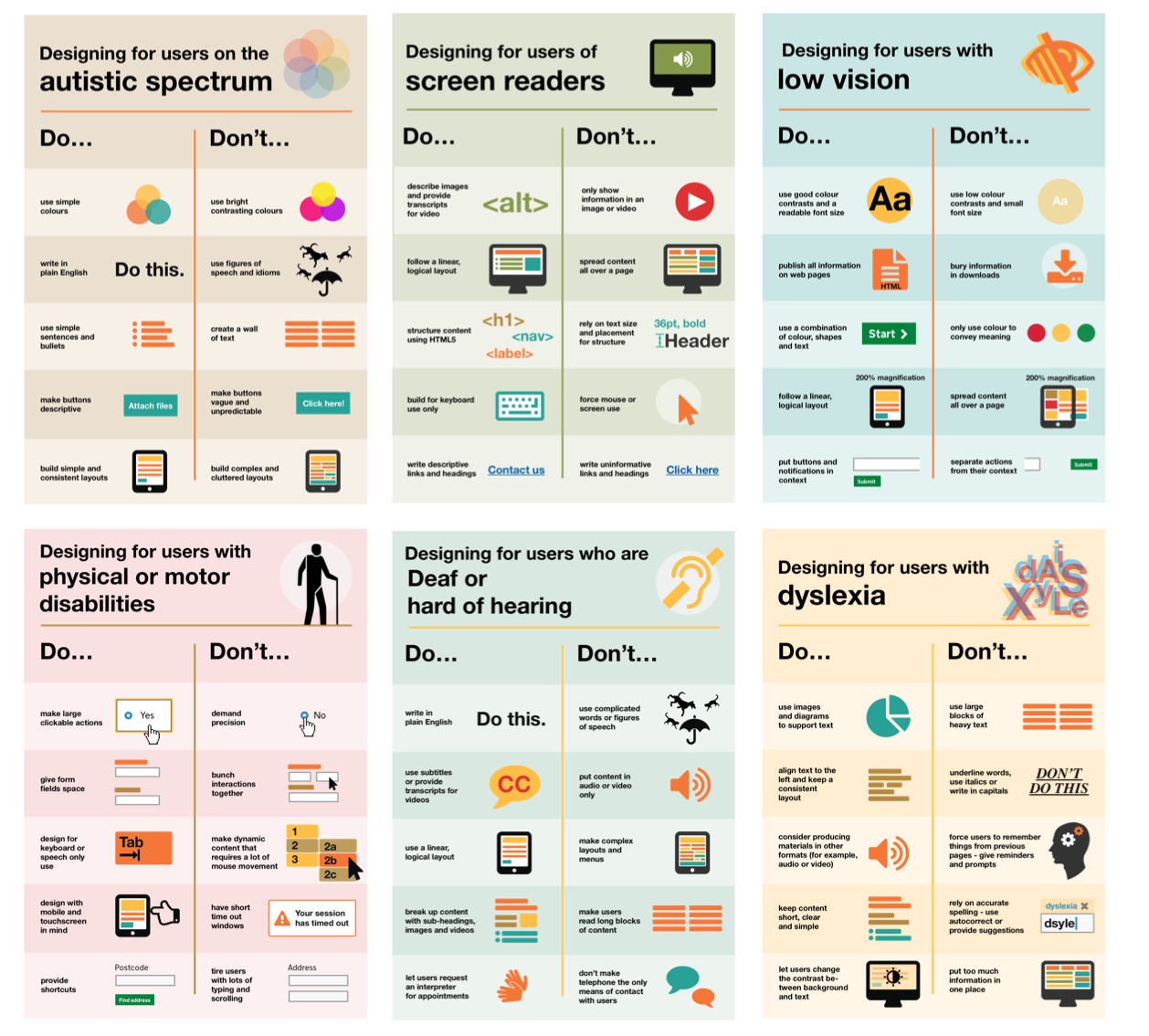
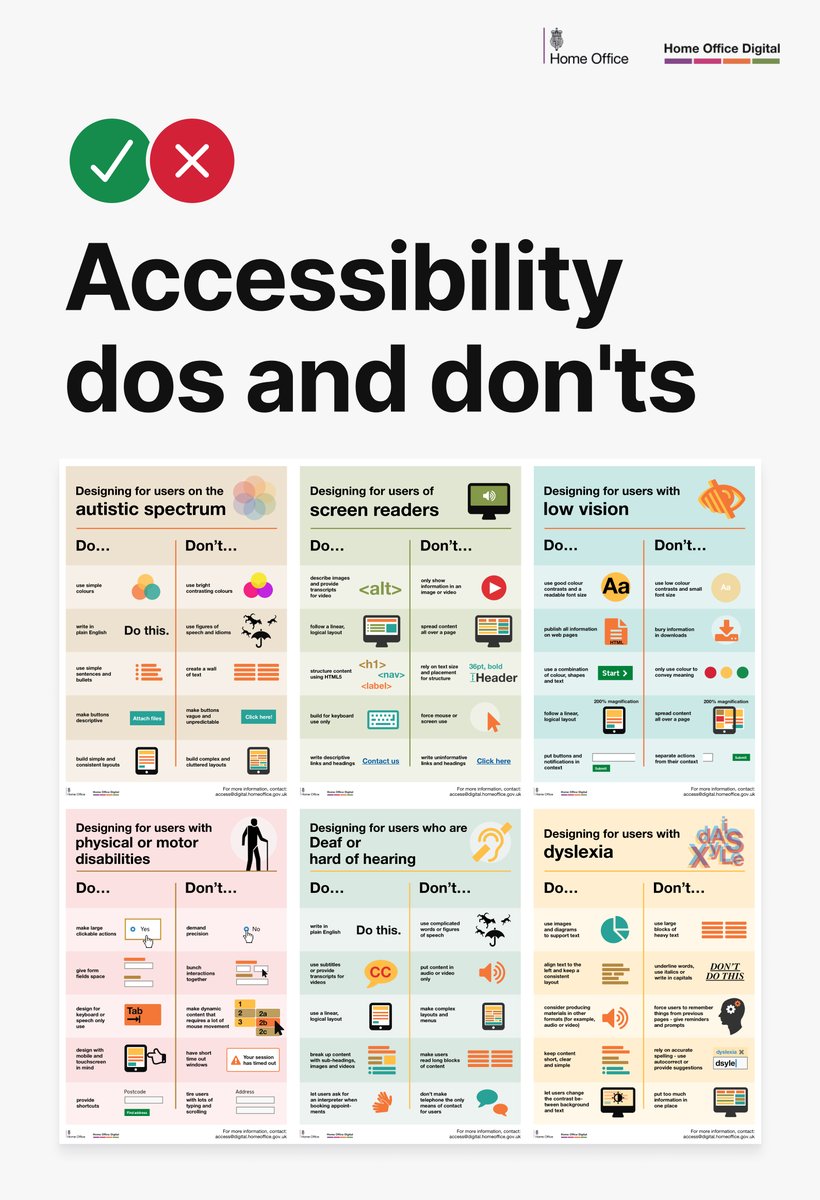
- Visual Design: Ensure that visual elements, such as colors, fonts, and images, are accessible to users with visual impairments.
- Interactivity: Design interactive elements, such as buttons and forms, that are accessible to users with motor or cognitive disabilities.
- Audio and Video: Provide accessibility features for audio and video content, such as transcripts and closed captions.
- Keyboard Navigation: Ensure that digital products can be navigated using a keyboard, without requiring a mouse.
- Screen Readers: Test digital products with screen readers to ensure compatibility and proper functionality.
- Color Blindness: Use color contrast principles to ensure that digital products are accessible to users with color vision deficiency.

Designing for Accessibility: Best Practices
Follow these best practices for designing for accessibility:
- Use Semantic HTML to define the structure of digital products.
- Utilize ARIA attributes to provide accessible interactivity.
- Provide alternative texts for images and other non-text content.
- Use color contrast principles to ensure accessibility for users with color vision deficiency.
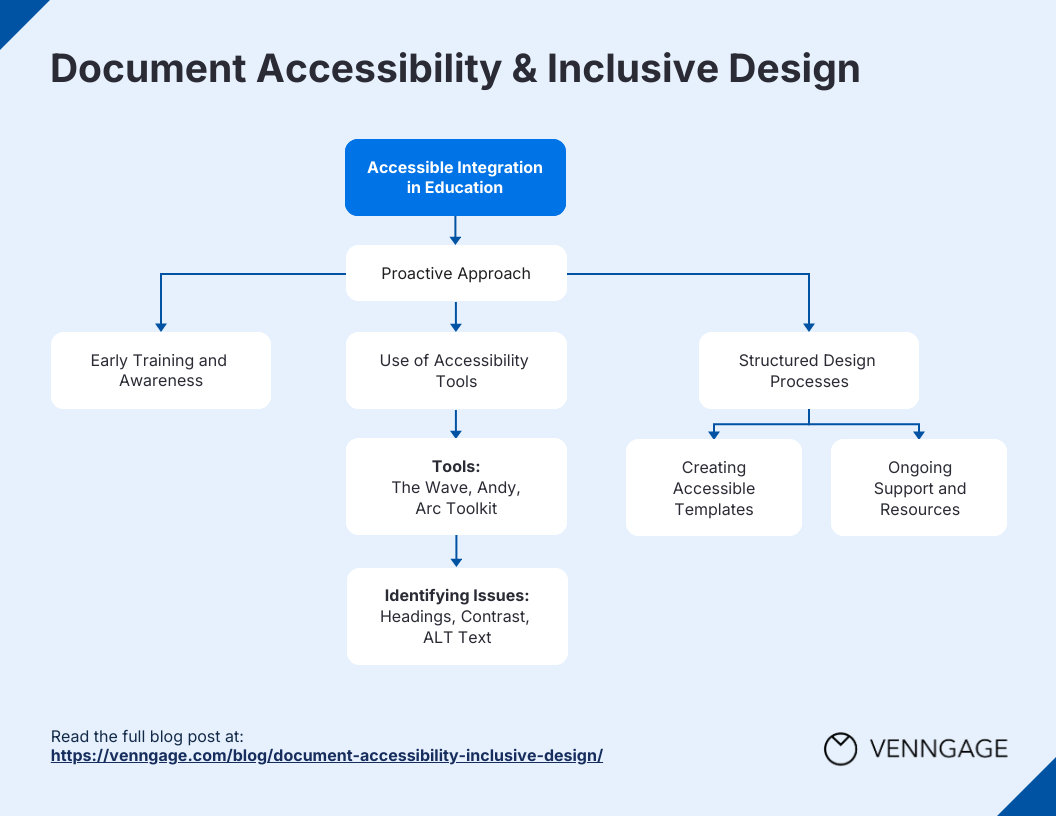
- Test digital products with screen readers and other accessibility tools.
- Regularly review and update digital products to ensure ongoing accessibility compliance.
Conclusion
Designing for accessibility is not just a moral or business imperative, but also a creative and strategic endeavor. By incorporating accessibility principles and best practices into the design process, designers, developers, and product teams can create inclusive digital experiences that benefit everyone, regardless of ability. Remember, accessibility is not a checkbox, but an ongoing process that requires ongoing attention and commitment.
Resources
For more information on designing for accessibility, check out the following resources:
- Web Content Accessibility Guidelines (WCAG) 2.1
- Accessible Rich Internet Applications (ARIA) 1.1
- Section 508
- WAVE Accessibility Tool
By following these guidelines and best practices, designers, developers, and product teams can create digital products that are accessible to everyone, regardless of ability.